Is the IDE dead?
March 20, 2026
The center of developer work is moving. Not disappearing - moving. Away from continuous, line-by-line editing inside a single window, and toward supervising agents that can plan, rewrite files, run tests, and propose changes for review. IDEs as we know them may stop being the primary tool for software work, or heavily evolve.
Across the tools many developers including myself are already using daily - Conductor, Claude Code Web, GitHub Copilot Agent, Jules, Vibe KanBan, even cmux - the same shift keeps showing up: the control plane is becoming the primary surface, and the editor is becoming one of several instruments underneath it.
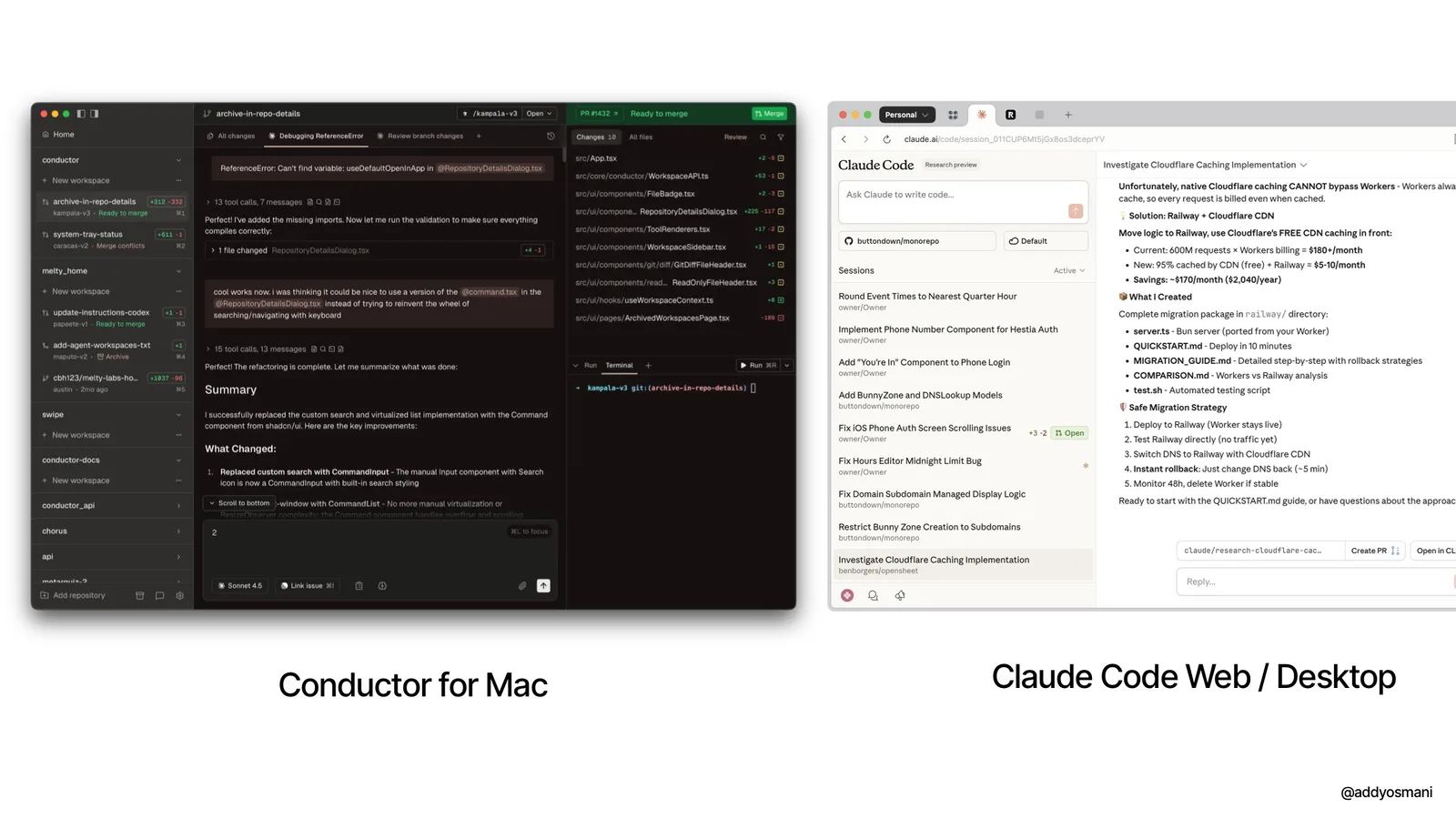
Cursor just shipped Glass - a new interface explicitly built to make “working with agents clear, intuitive, and in your control” where agent management is the primary experience and the traditional editor is something you reach for when you need to go deeper. The reaction from developers was immediate:
Now Cursor feels more like an Agent Orchestrator than an IDE. Managing agents in parallel is easier
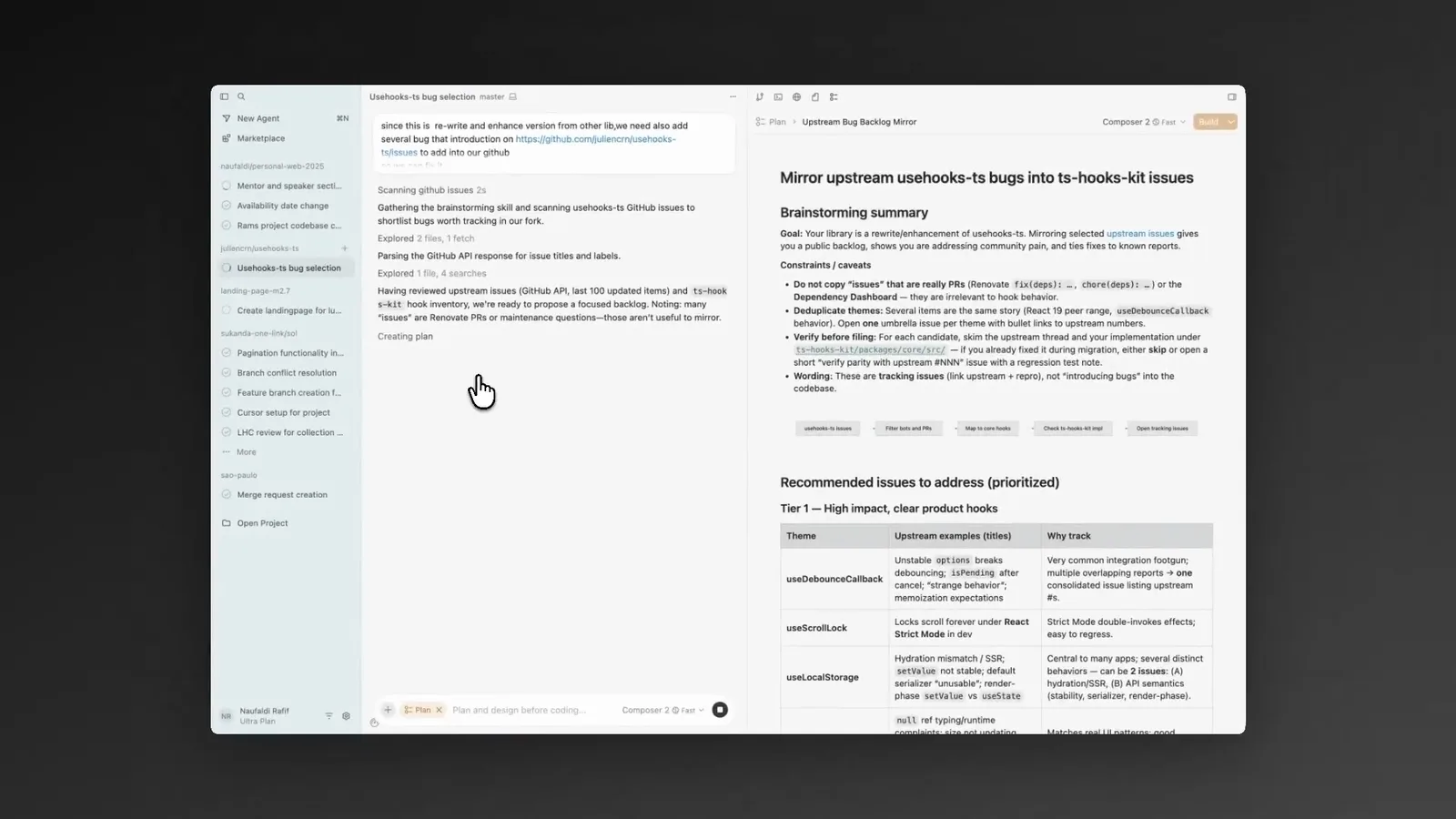
But Glass is one data point in a much larger pattern. Terminal UIs like cmux highlight how the surfaces we’re used to are evolving to better manage agent workflows.
From editing files to steering workstreams
Historically, IDEs optimized for a tight inner loop: open files -> edit -> build -> debug -> repeat. The “death” argument is that this loop is no longer the dominant unit of productivity once agents can execute most of it autonomously.
The new loop looks like this: specify intent -> delegate -> observe -> review diffs -> merge. What makes it different from “autocomplete with a chat window” is tool-using autonomy combined with interfaces designed to make that autonomy governable.
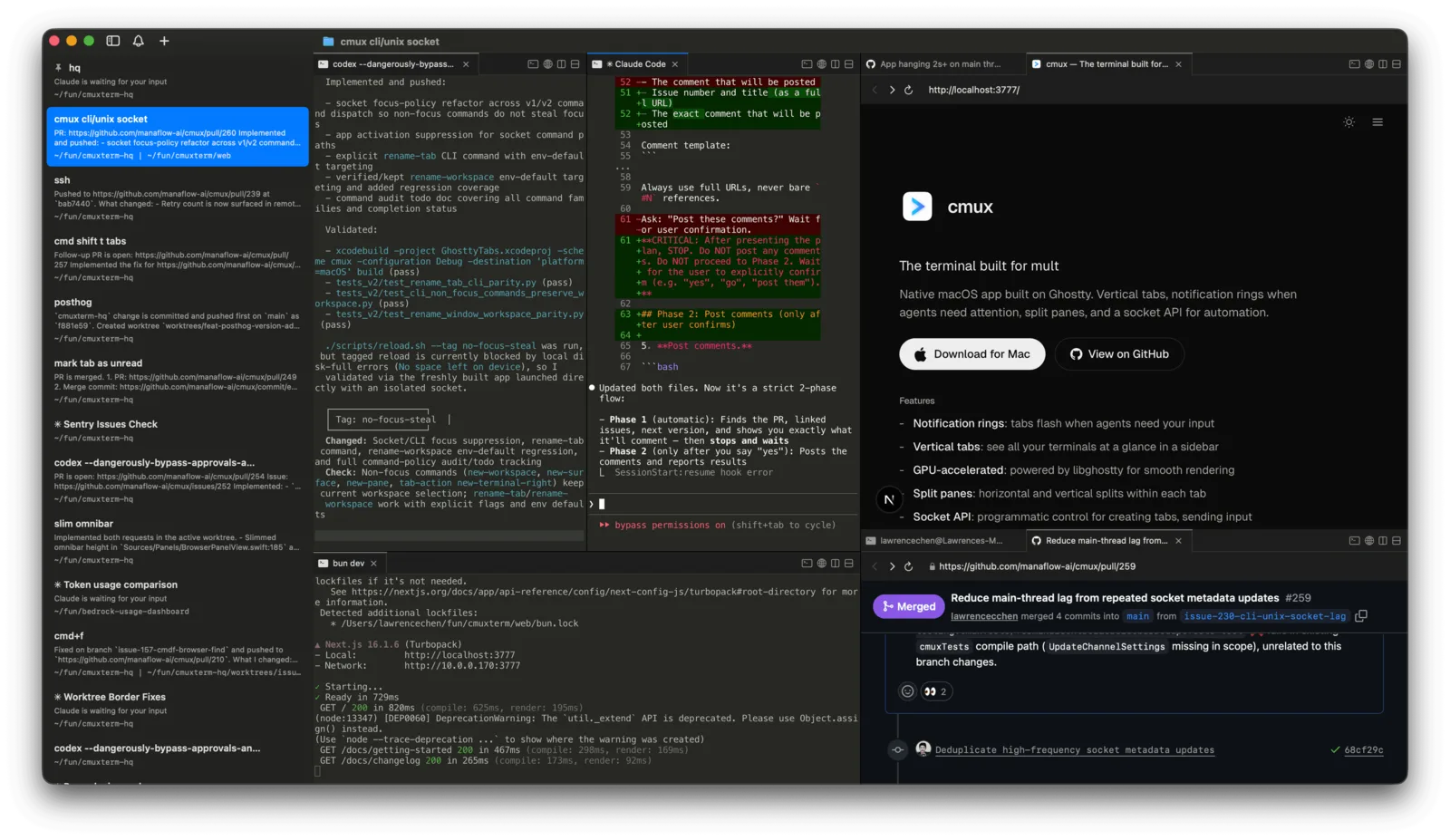
You can see this playing out across tools already in heavy use. Claude Code Web (or Desktop) and Codex let developers hand off well-defined tasks to agents running in isolated cloud environments, with progress visible in a browser - no terminal, no local setup required.
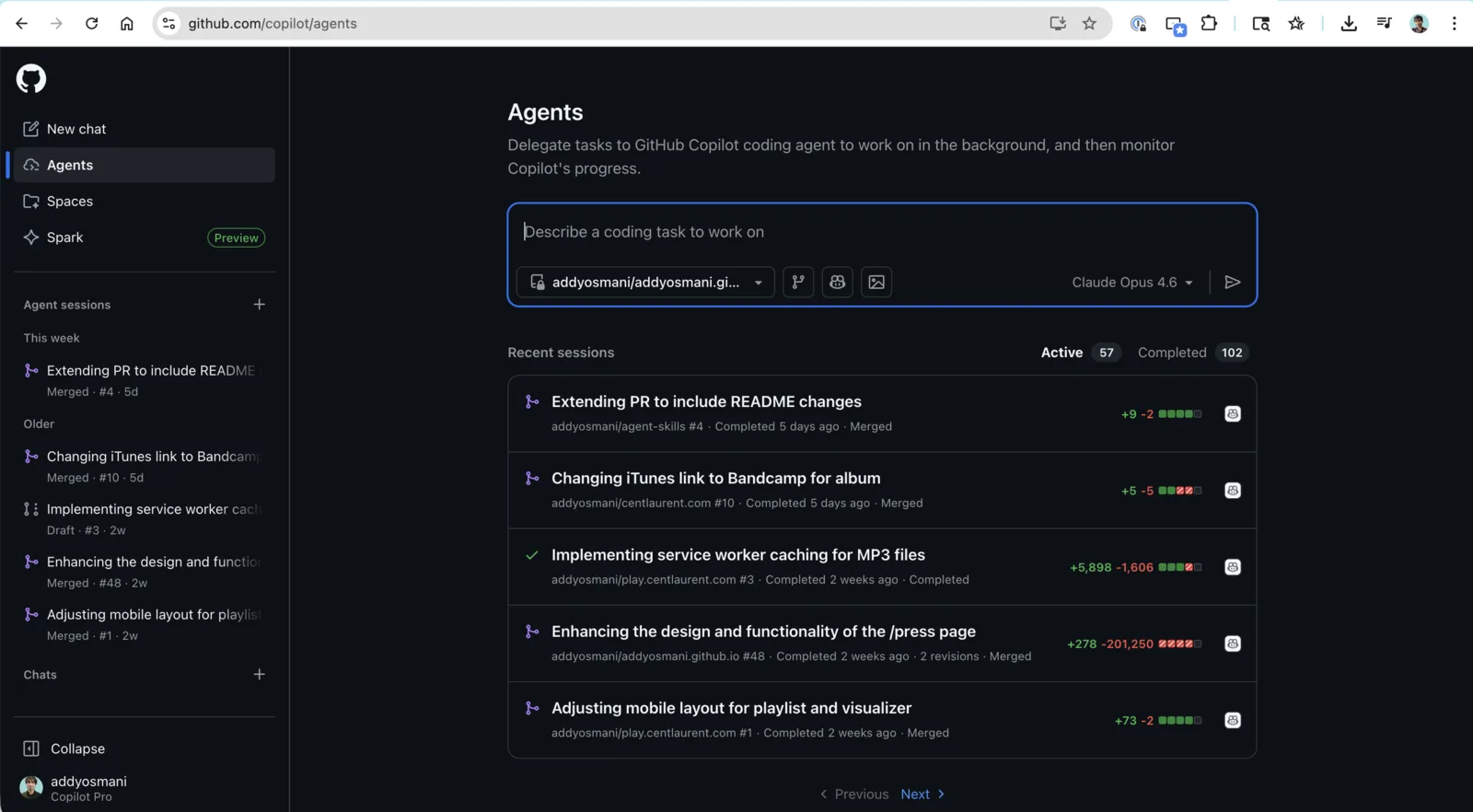
GitHub Copilot’s Agents plan and implements multi-file changes independently, creates branches, runs tests, and surfaces a PR for review; the developer’s primary job becomes reviewing the outcome and iterating, not directing each step.
Conductor takes a different approach: a desktop app for running multiple Claude Code agents simultaneously in isolated workspaces, with live progress monitoring across all of them. And Google’s Jules handles asynchronous background tasks - you assign work, it runs, you review the result when it’s done.
What these tools share is a mental model: the agent is the unit of work, not the file. The interface worth optimizing is the one that helps you direct, monitor, and review agents - not the one that helps you type faster.
The orchestration layer taking shape
The displacement story becomes persuasive only when you look at the specific interface patterns converging across tools.
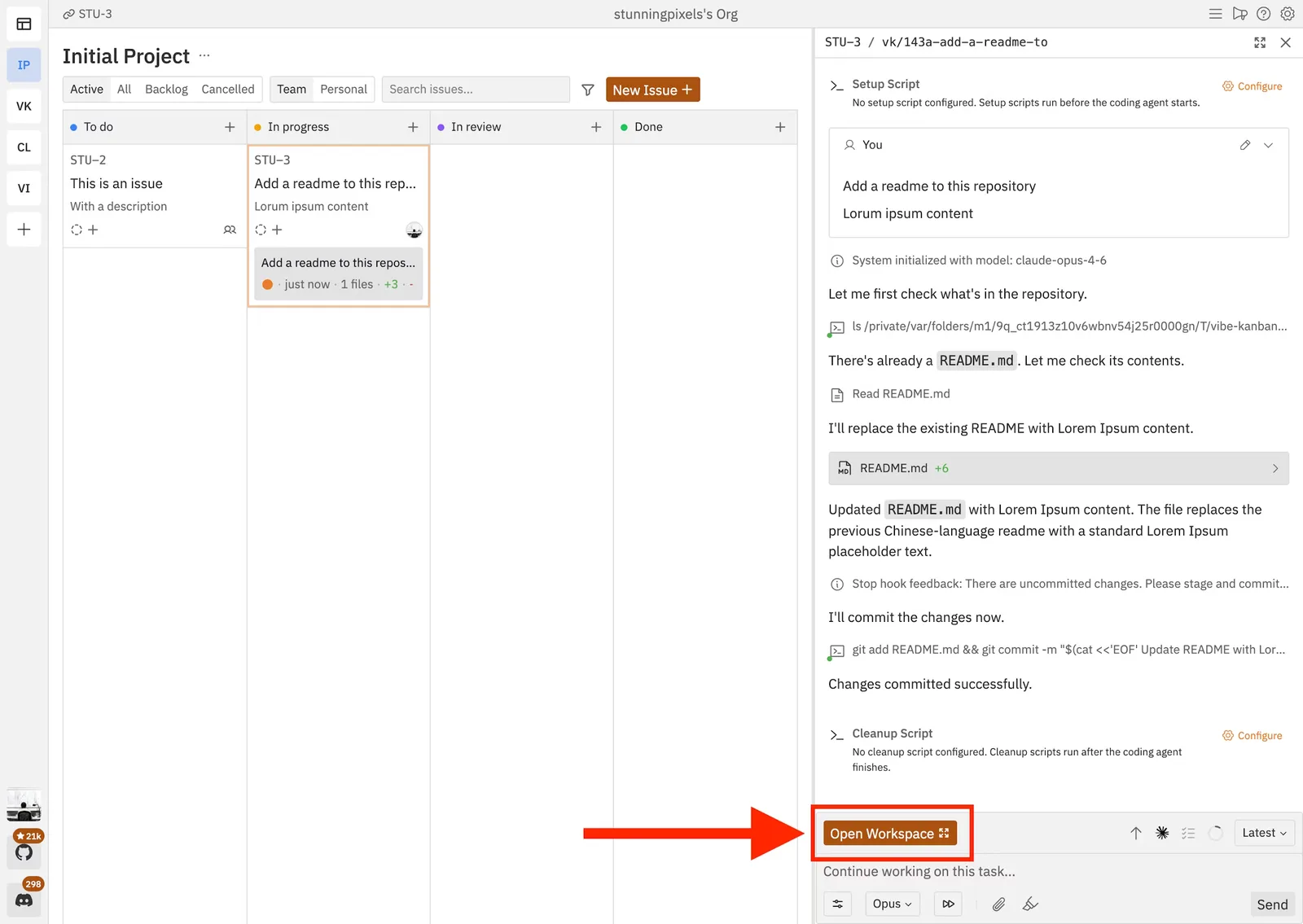
Work isolation as a primitive. Parallel agents need to not step on each other. Virtually every serious tool in this space has landed on git worktrees (or similar) as the answer. Conductor maps each agent session to its own isolated workspace. Vibe Kanban (shown above) does the same for its kanban-driven agent workflow. The pattern is near ubiquitous because the problem is real: without isolation, parallel agents produce chaos.
Planning and task state as the primary UI. Tools like Vibe Kanban have replaced “tabs and files” with “tasks and states” as the top-level mental model. You create task cards (a landing page, a backend service, an email integration), assign each to an agent and a model, and manage the whole effort like a lightweight project board - except the “team” is running autonomously. This is a project management surface that happens to have agents doing the implementation.
Background agents and async-first design. Some of the most interesting tools in this space don’t even try to keep you in the loop during execution. Cursor, Copilot and Antigravity support background agents that run without requiring your presence - you define intent, step away, and review when they’re done. Jules works similarly: assign a task, come back to a diff. The implicit promise is that your attention is too valuable to spend watching a progress bar. That’s a significant departure from the IDE’s real-time, synchronous feedback loop.
Attention management for parallel agents. When many agents run concurrently, the real bottleneck becomes knowing which one needs you right now. This is why tools like Conductor surface live progress across sessions and cmux introduced notification rings and unread badges for terminal panes. “Agent needs attention” is becoming a first-class event in the developer environment - something to route and triage, not just notice.
Agents embedded into the software lifecycle. GitHub’s Copilot coding agent is asynchronous, secured by a control layer, and powered by GitHub Actions - attached to how code actually ships (issues -> PRs -> CI -> merge), not just how it gets written.
None of these tools claim IDEs are obsolete - many still interoperate with them. But the repeated patterns (parallel workspaces, diff-first review, task state, background execution, lifecycle integration) are precisely what “death of the IDE” proponents mean when they talk about a center-of-gravity shift.
Why developers still reach for an IDE
The best critique of “the IDE is dead” is that the IDE still compresses several genuinely hard problems into a high-fidelity feedback loop: precise navigation, local reasoning, interactive debugging, and the ability to understand a system by directly manipulating it.
Even the most ambitious orchestration tools keep a manual-edit escape hatch. For example, reviewing diffs in-thread, commenting on changes, and then opening the result in your editor for manual adjustments. That’s an acknowledgment that human intervention is part of the intended workflow.
Agent tooling itself highlights where the limits still are. Multi-file refactorings in large repositories remain among the toughest challenges for software engineering agents. These are exactly the situations where interactive code navigation and human judgment still matter most - where you need to hold a mental model of the system that the agent can’t fully reconstruct from context alone.
The failure mode that keeps developers anchored to IDE-level inspection is agents being almost right. When something is 90% correct and subtly broken, the cost of finding the issue often exceeds what it would have taken to write it yourself. For high-stakes changes, the IDE remains the best instrument for that kind of deep, precise inspection.
The new costs: review fatigue and governance overhead
If development becomes “run many agents in parallel” the workflow inherits problems that look less like text editing and more like distributed systems management - observability, permissions, isolation, and governance.
Agent workflows invert the labor. Instead of writing, you’re reviewing. That sounds like an improvement until you’re staring at twelve diffs from twelve parallel agents at the end of the day. Review fatigue is real, and it’s one of the reasons the most thoughtful tools in this space focus on attention routing, structured plans, and review-first gates rather than pushing for full autonomy by default.
The security surface also expands as agents gain access to more tools, repos, and external systems. As agents can browse the web, query databases, write to filesystems, and trigger deploys, what they’re allowed to do becomes as important as what they’re capable of doing.
On observability and control, IDE-integrated agent modes are already pushing toward explicit tool logs and approval gates. The governance question isn’t optional once agents act asynchronously and touch CI pipelines.
What survives: the IDE, the control plane, or both
A clear reading of the landscape is that “death of the IDE” is directionally right about the center of gravity, but wrong as a literal forecast.
The strongest version of the claim is this: the IDE stops being the primary workspace and becomes one of several subordinate instruments - used for targeted inspection, debugging, and final edits - while planning, orchestration, review, and agent management move into dashboards, issue trackers, observability terminals, and cloud control planes.
The “bigger IDE” framing is equally well-supported. The new “IDE” is a system that provides multi-agent orchestration, isolated workspaces, permissions and audit logs, diff-first review, reliable tool connectivity, and attention routing. The file editor is still there. It’s just no longer the front door.
The IDE isn’t dying. It’s being de-centered. The work is moving outward - into orchestration surfaces where humans define intent, delegate to parallel agent runtimes, and spend more time supervising, reviewing, and governing than typing.
The IDE remains critical for correctness, comprehension, and the hard problems agents still struggle with. But its no longer the only place where programming happens - and for a growing number, it’s no longer the first place they go.