The future of agentic coding: conductors to orchestrators
January 2, 2026
AI coding assistants have quickly moved from novelty to necessity where up to 90% of software engineers use some kind of AI for coding. But a new paradigm is emerging in software development - one where engineers leverage fleets of autonomous coding agents. In this agentic future, the role of the software engineer is evolving from implementer to manager, or in other words, from coder to conductor and ultimately orchestrator.
Over time, developers will increasingly guide AI agents to build the right code and coordinate multiple agents working in concert. This write-up explores the distinction between Conductors and Orchestrators in AI-assisted coding, defines these roles, and examines how today’s cutting-edge tools embody each approach. Senior engineers may start to see the writing on the wall: our jobs are shifting from “How do I code this?” to “How do I get the right code built?” - a subtle but profound change.
Elevate is a reader-supported publication. To receive new posts and support my work, consider becoming a free or paid subscriber.
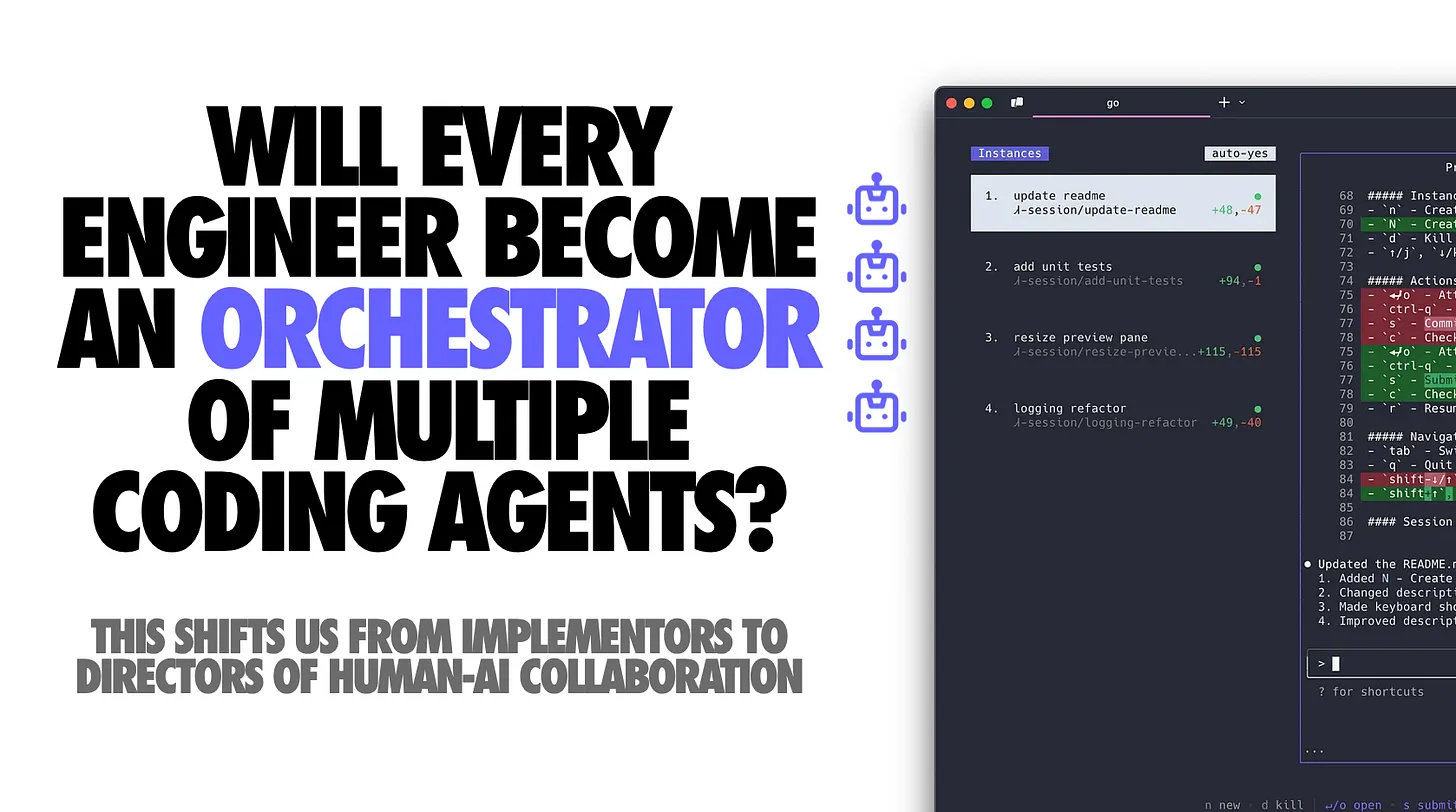
What’s the tl;dr of an orchestrator tool? It supports multi-agent workflows where you can run many agents in parallel without them interfering with each another. But let’s talk terminology more first.
The Conductor: Guiding a single AI agent
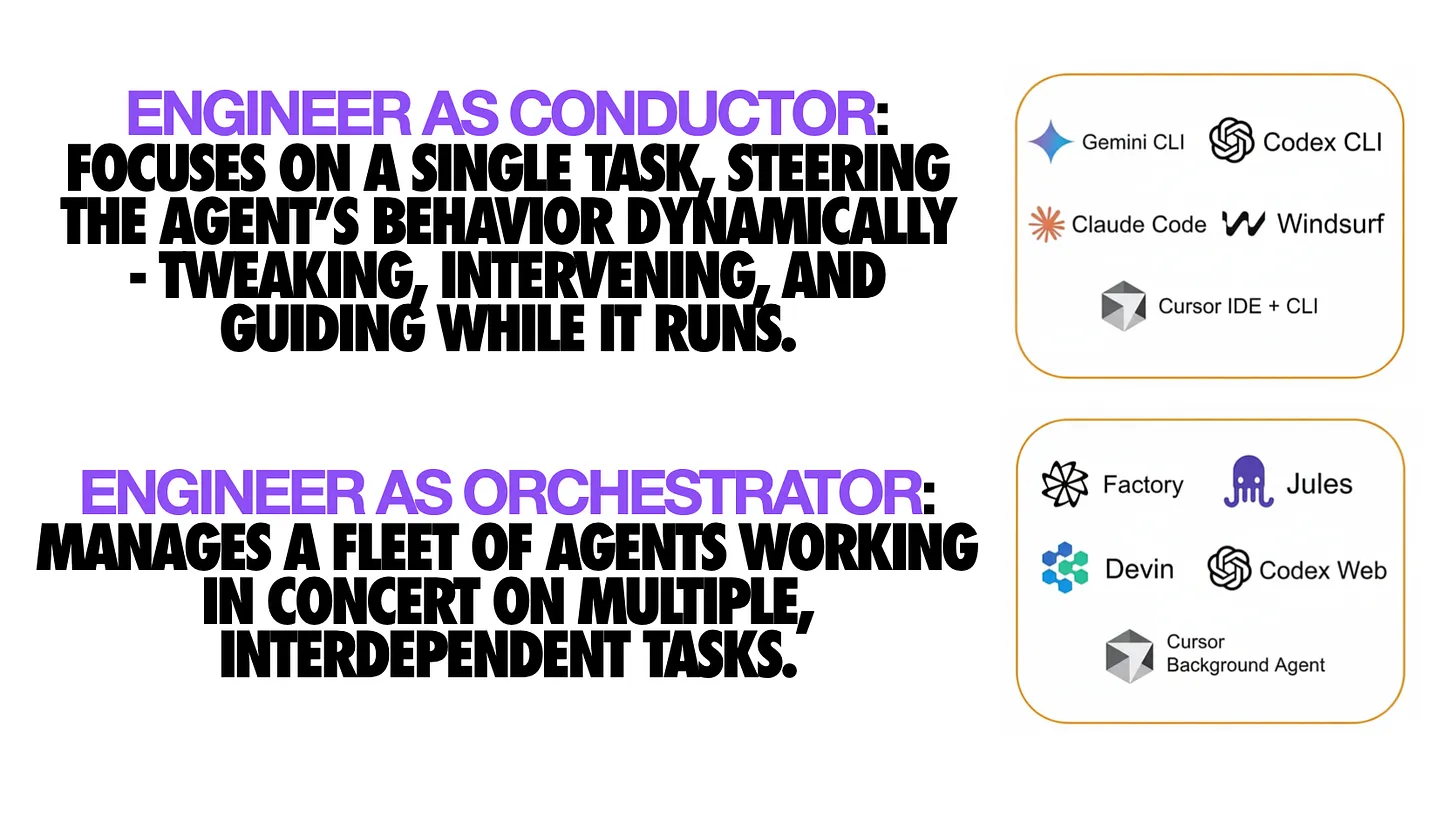
In the context of AI coding, acting as a Conductor means working closely with a single AI agent on a specific task, much like a conductor guiding a soloist through a performance.
The engineer remains in the loop at each step, dynamically steering the agent’s behavior, tweaking prompts, intervening when needed, and iterating in real-time. This is the logical extension of the “AI pair programmer” model many developers are already familiar with. With conductor-style workflows, coding happens in a synchronous, interactive session between human and AI, typically in your IDE or CLI.
Key characteristics: A conductor keeps a tight feedback loop with one agent, verifying or modifying each suggestion, much as a driver navigates with a GPS. The AI helps write code, but the developer still performs many manual steps - creating branches, running tests, writing commit messages, etc., and ultimately decides which suggestions to accept.
Crucially, most of this interaction is ephemeral: once code is written and the session ends, the AI’s role is done and any context or decisions not captured in code may be lost. This mode is powerful for focused tasks and allows fine-grained control, but it doesn’t fully exploit what multiple AIs could do in parallel.
Modern tools as Conductors: Several current AI coding tools exemplify the conductor pattern:
- Claude Code (Anthropic): Anthropic’s Claude model offers a coding assistant mode (accessible via a CLI tool or editor integration) where the developer converses with Claude to generate or modify code. For example, with the Claude Code CLI, you navigate your project in a shell, ask Claude to implement a function or refactor code, and it prints diffs or file updates for you to approve. You remain the conductor: you trigger each action and review the output immediately. While Claude Code has features to handle long-running tasks and tools, in the basic usage it’s essentially a smart co-developer working step-by-step under human direction.
- Gemini CLI (Google): A command-line assistant powered by Google’s Gemini model, used for planning and coding with a very large context window. An engineer can prompt Gemini CLI to analyze a codebase or draft a solution plan, then iterate on results interactively. The human directs each step and Gemini responds within the CLI session. It’s a one-at-a-time collaborator, not running off to make code changes on its own (at least in this conductor mode).
- Cursor (Editor AI Assistant): The Cursor editor (a specialized AI-augmented IDE) can operate in an inline or chat mode where you ask it questions or to write a snippet, and it immediately performs those edits or gives answers within your coding session. Again, you guide it one request at a time. Cursor’s strength as a conductor is its deep context integration - it indexes your whole codebase so the AI can answer questions about any part of it. But the hallmark is that you, the developer, initiate and oversee each change in real time.
- VSCode, Cline, Roo Code (in-IDE chat): Similar to above, other coding agents also fall into this category. They suggest code or even multi-step fixes, but always under continuous human guidance.
This conductor-style AI assistance has already boosted productivity significantly. It feels like having a junior engineer or pair programmer always by your side. However, it’s inherently one-agent-at-a-time and synchronous. To truly leverage AI at scale, we need to go beyond being a single-agent conductor. This is where the Orchestrator role comes in.
The Orchestrator: Managing a fleet of agents
If a conductor works with one AI “musician,” an Orchestrator oversees the entire symphony of multiple AI agents working in parallel on different parts of a project. The orchestrator sets high-level goals, defines tasks, and lets a team of autonomous coding agents independently carry out the implementation details.
Instead of micromanaging every function or bug fix, the human focuses on coordination, quality control, and integration of the agents’ outputs. In practical terms, this often means an engineer can assign tasks to AI agents (e.g. via issues or prompts) and have those agents asynchronously produce code changes - often as ready-to-review pull requests. The engineer’s job becomes reviewing, giving feedback, and merging the results, rather than writing all the code personally.
This asynchronous, parallel workflow is a fundamental shift. It moves AI assistance from the foreground to the background. While you attend to higher-level design or other work, your “AI team” is coding in the background. When they’re done, they hand you completed work (with tests, docs, etc.) for review. It’s akin to being a project tech lead delegating tasks to multiple devs and later reviewing their pull requests, except the “devs” are AI agents.
Key characteristics: An orchestrator deals with autonomous agents that can plan and execute multi-step coding tasks with minimal intervention. These agents have more agency: they can clone your repo, create new git branches, edit multiple files, compile/run tests, and iteratively refine their solution before presenting it.
The orchestrator doesn’t see every intermediate step (unless they choose to peek in); they mainly ensure the final outcome aligns with requirements. Importantly, all this happens in a tracked, persistent workflow (often leveraging version control and CI pipelines) rather than ephemeral suggestions. For example, GitHub’s coding agent operates entirely via pull requests on GitHub, so every change is logged and reviewable. Another hallmark is concurrency: an orchestrator can spin up multiple agents to tackle different tasks simultaneously, dramatically parallelizing development.
Modern tools as Orchestrators: Over just the past year, several tools have emerged that embody this orchestrator paradigm:
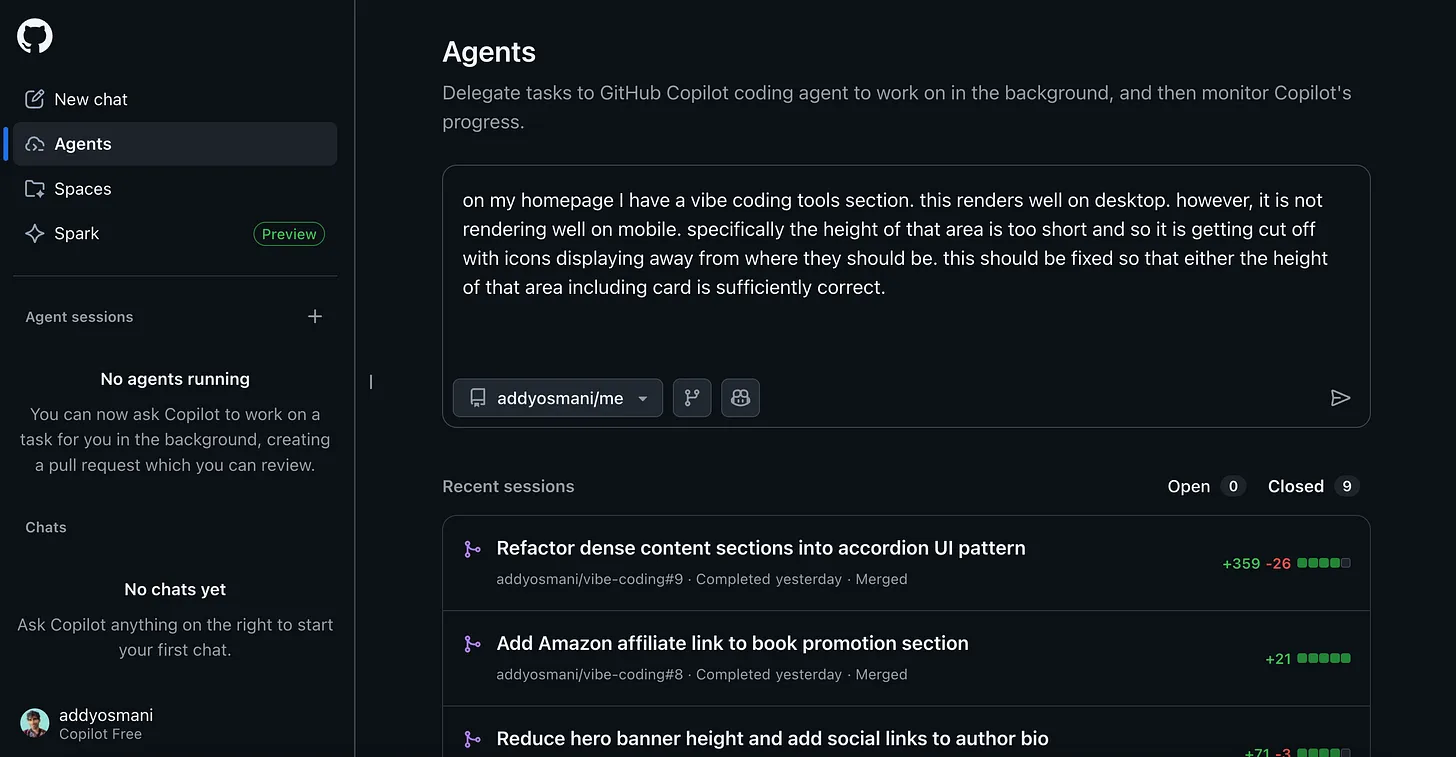
- GitHub Copilot Coding Agent (Microsoft): This upgrade to Copilot transforms it from an in-editor assistant into an autonomous background developer (I cover it in this video). You can assign a GitHub issue to Copilot’s agent or invoke it via the VS Code agents panel, telling it (for example) “Implement feature X” or “Fix bug Y”. Copilot then spins up an ephemeral dev environment via GitHub Actions, checks out your repo, creates a new branch, and begins coding. It can run tests, linters, even spin up the app if needed, all without human babysitting. When finished, it opens a pull request with the changes, complete with a description and meaningful commit messages. It then asks for your review. You, the human orchestrator, review the PR (perhaps using Copilot’s AI-assisted code review to get an initial analysis). If changes are needed, you can leave comments like @copilot please update the unit tests for edge case Z, and the agent will iterate on the PR. This is asynchronous, autonomous code generation in action. Notably, Copilot automates the tedious book-keeping: branch creation, committing, opening PRs, etc., which used to cost developers time. All the grunt work around writing code (aside from the design itself) is handled, allowing developers to focus on reviewing and guiding at a high level. GitHub’s agent effectively lets one engineer supervise many “AI juniors” working in parallel across different issues (and you can even create multiple specialized agents for different task types).
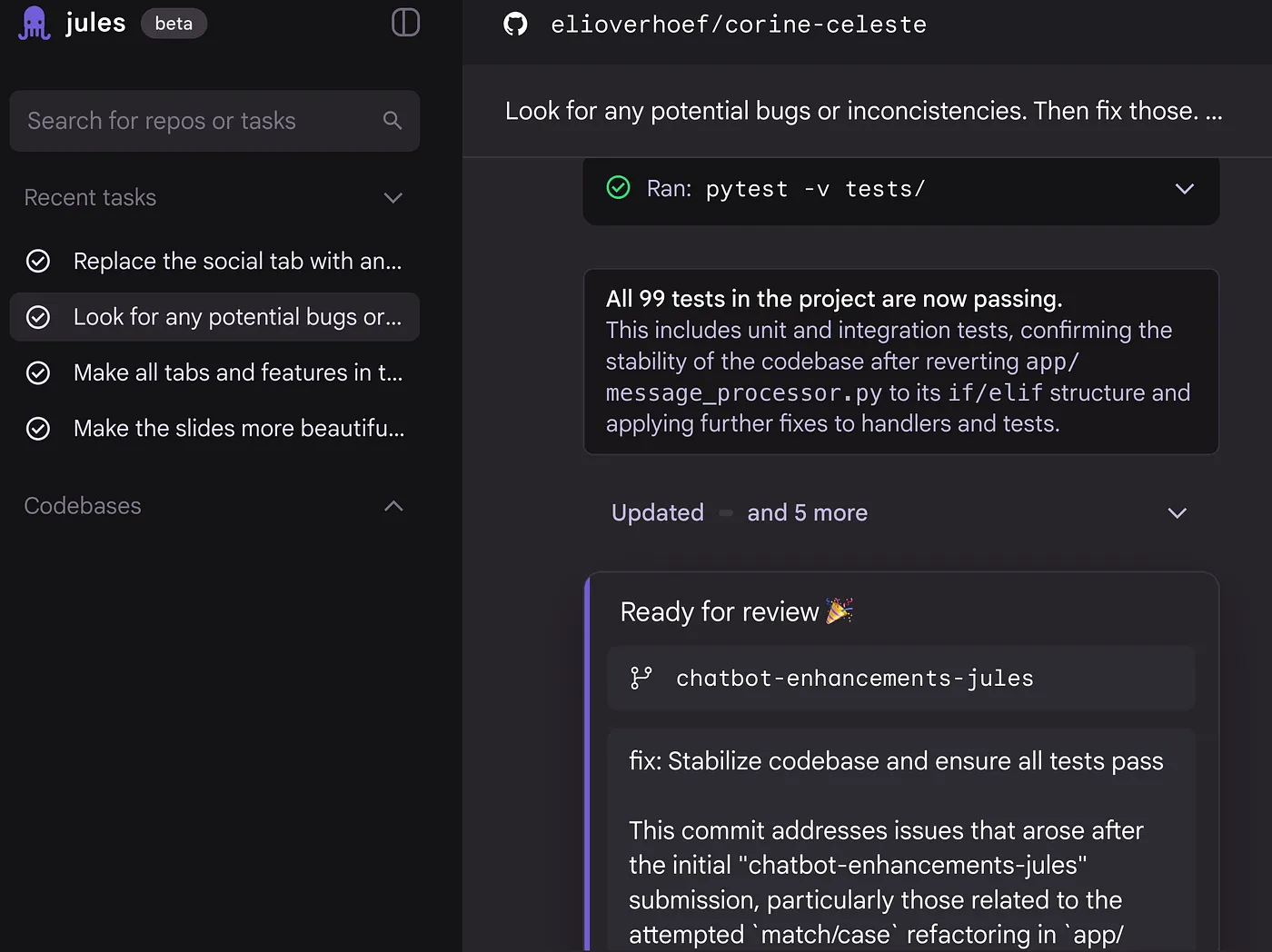
- Jules, Google’s Coding Agent: Jules is an autonomous coding agent. Jules is “not a co-pilot, not a code-completion sidekick, but an autonomous agent that reads your code, understands your intent, and gets to work.” Integrated with Google Cloud and GitHub, Jules lets you connect a repository and then ask it to perform tasks much as you would a developer on your team. Under the hood, Jules clones your entire codebase into a secure cloud VM and analyzes it with a powerful model. You might tell Jules: “Add user authentication to our app” or “Upgrade this project to the latest Node.js and fix any compatibility issues.” It will formulate a plan, present it to you for approval, and once you approve, execute the changes asynchronously. It makes commits on a new branch and can even open a pull request for you to merge. Jules handles writing new code, updating tests, bumping dependencies, etc., all while you could be doing something else. Crucially, Jules provides transparency and control: it shows you its proposed plan and reasoning before making changes, and allows you to intervene or modify instructions at any point (a feature Google calls “user steerability”). This is akin to giving an AI intern the spec and watching over their shoulder less frequently - you trust them to get it mostly right, but you still verify the final diff. Jules also boasts unique touches like audio changelogs (it generates spoken summaries of code changes) and the ability to run multiple tasks concurrently in the cloud. In short, Google’s Jules demonstrates the orchestrator model: you define the task, Jules does the heavy lifting asynchronously, and you oversee the result.
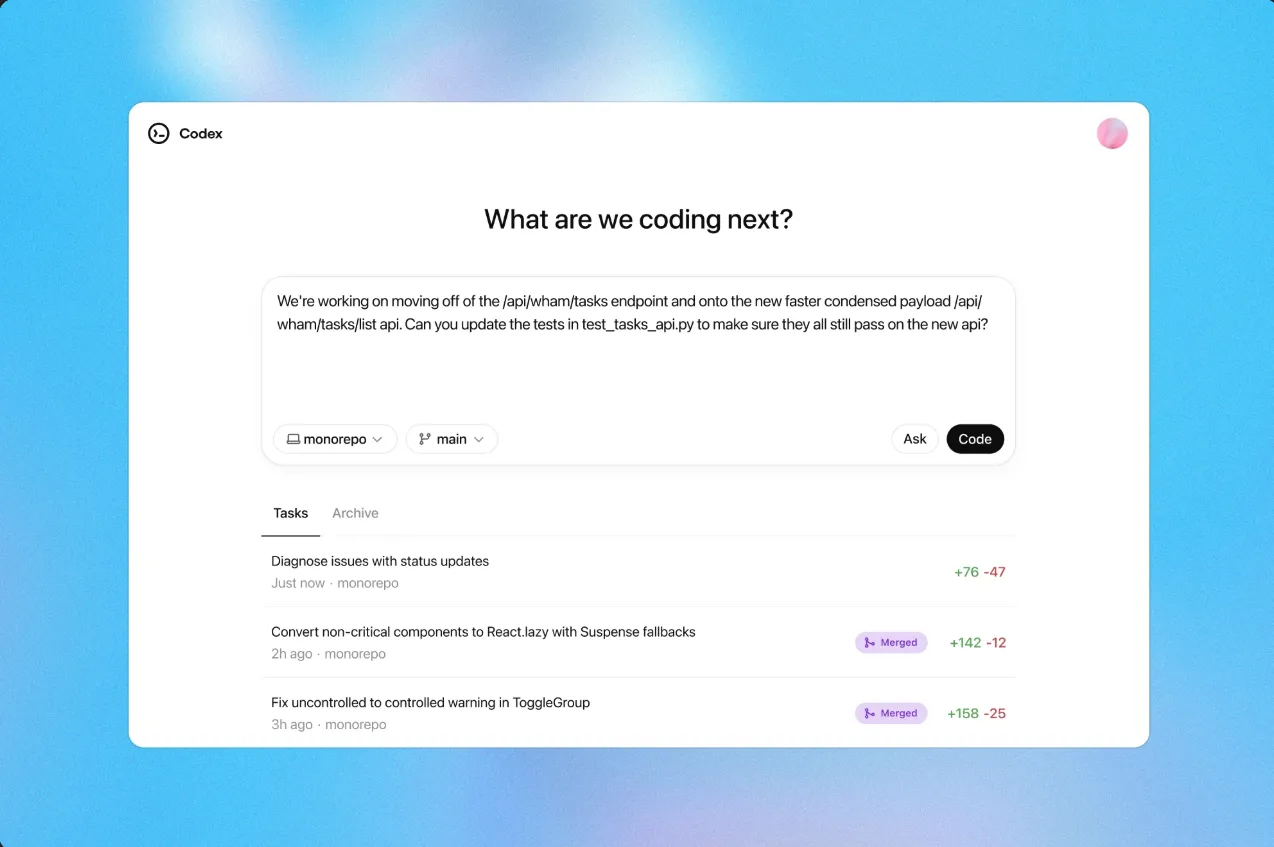
- OpenAI Codex (Cloud Agent): OpenAI introduced a new cloud-based Codex agent in to complement ChatGPT. This evolved Codex (different from the 2021 Codex model) is described as “a cloud-based software engineering agent that can work on many tasks in parallel”. It’s available as part of ChatGPT Plus/Pro under the name OpenAI Codex and via an npm CLI (npm i -g @openai/codex). With the Codex CLI or its VS Code/Cursor extensions, you can delegate tasks to OpenAI’s agent similar to Copilot or Jules. For instance, from your terminal you might say: “Hey Codex, implement dark mode for the settings page”. Codex then launches into your repository, edits the necessary files, perhaps runs your test suite, and when done, presents the diff for you to merge. It operates in an isolated sandbox for safety, running each task in a container with your repo and environment. Like others, OpenAI’s Codex agent integrates with developer workflows: you can even kick off tasks from a ChatGPT mobile app on your phone and get notified when the agent is done. OpenAI emphasizes seamless switching “between real-time collaboration and async delegation” with Codex. In practice, this means you have the flexibility to use it in conductor mode (pair-programming in your IDE) or orchestrator mode (hand off a background task to the cloud agent). Codex can also be invited into your Slack channels - teammates can assign tasks to @Codex in Slack and it will pull context from the conversation and your repo to execute them. It’s a vision of ubiquitous AI assistance, where coding tasks can be delegated from anywhere. Early users report that Codex can autonomously identify and fix bugs, or generate significant features, given a well-scoped prompt. All of this again aligns with the orchestrator workflow: the human defines the goal, the AI agent autonomously delivers a solution.
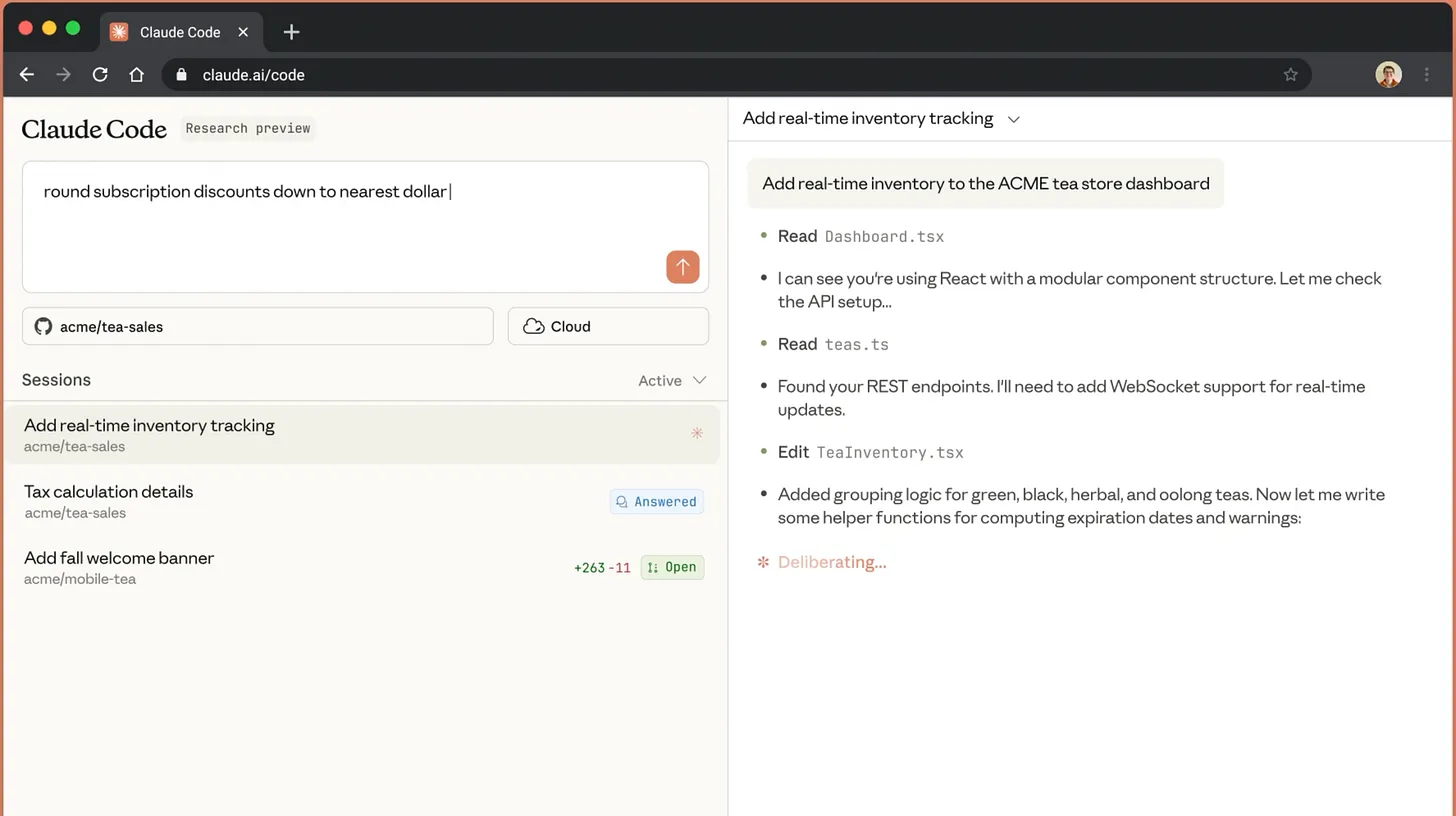
- Anthropic Claude Code (for Web): Anthropic has offered Claude as an AI chatbot for a while, and their Claude Code CLI has been a favorite for interactive coding. Anthropic took the next step by launching Claude Code for Web, effectively a hosted version of their coding agent. Using Claude Code for Web, you point it at your GitHub repo (with configurable sandbox permissions) and give it a task. The agent then runs in Anthropic’s managed container, just like the CLI version, but now you can trigger it from a web interface or even a mobile app. It queues up multiple prompts and steps, executes them, and when done, pushes a branch to your repo (and can open a PR). Essentially, Anthropic took their single-agent Claude Code and made it an orchestratable service in the cloud. They even provided a “teleport” feature to transfer the session to your local environment if you want to take over manually. The rationale for this web version aligns with orchestrator benefits: convenience and scale. You don’t need to run long jobs on your machine; Anthropic’s cloud handles the heavy lifting, with filesystem and network isolation for safety. Claude Code for Web acknowledges that autonomy with safety is key - by sandboxing the agent, they reduce the need for constant permission prompts, letting the agent operate more freely (less babysitting by the user). In effect, Anthropic has made it easier to use Claude as an autonomous coding worker you launch on demand.
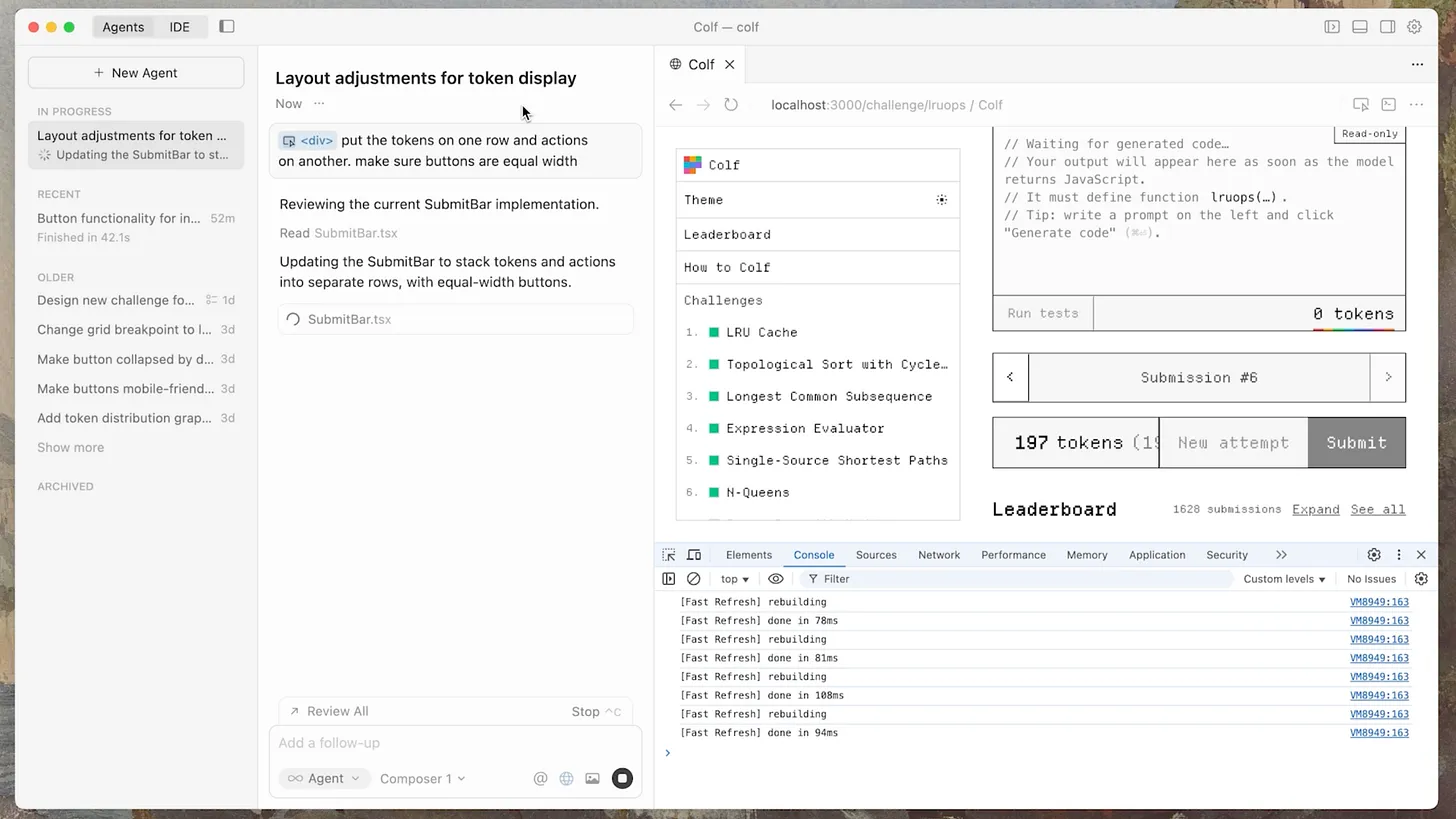
- Cursor Background Agents: tl;dr - Cursor 2.0 has a more focused multi-agent interface more focused around agents rather than files. Cursor 2 expands its Background Agents feature into a full-fledged orchestration layer for developers. Beyond serving as an interactive assistant, Cursor 2 lets you spawn autonomous background agents that operate asynchronously in a managed cloud workspace. When you delegate a task, Cursor 2’s agents now clone your GitHub repository, spin up an ephemeral environment, and check out an isolated branch where they execute work end-to-end. These agents can handle the entire development loop - from editing and running code, to installing dependencies, executing tests, running builds, and even searching the web or referencing documentation to resolve issues. Once complete, they push commits and open a detailed pull request summarizing their work. Cursor 2 introduces multi-agent orchestration, allowing several background agents to run concurrently across different tasks - for instance, one refining UI components while another optimizes backend performance or fixes tests. Each agent’s activity is visible through a real-time dashboard that can be accessed from desktop or mobile, enabling you to monitor progress, issue follow-ups, or intervene manually if needed. This new system effectively treats each agent as part of an on-demand AI workforce, coordinated through the developer’s high-level intent. Cursor 2’s focus on parallel, asynchronous execution dramatically amplifies a single engineer’s throughput - fully realizing the orchestrator model where humans oversee a fleet of cooperative AI developers rather than a single assistant.
- Agent Orchestration Platforms: Beyond individual product offerings, there are also emerging platforms and open-source projects aimed at orchestrating multiple agents. For instance, Conductor by Melty Labs (despite its name!) is actually an orchestration tool that lets you deploy and manage multiple Claude Code agents on your own machine in parallel. With Conductor, each agent gets its own isolated Git worktree to avoid conflicts, and you can see a dashboard of all agents (“who’s working on what”) and review their code as they progress. The idea is to make running a small swarm of coding agents as easy as running one. Similarly, Claude Squad is a popular open-source terminal app that essentially multiplexes Anthropic’s Claude - it can spawn several Claude Code instances working concurrently in separate tmux panes, allowing you to give each a different task and thus code “10x faster” by parallelizing. These orchestration tools underscore the trend: developers want to coordinate multiple AI coding agents and have them collaborate or divide work. Even Microsoft’s Azure AI services are enabling this - at Build 2025 they announced tools for developers to “orchestrate multiple specialized agents to handle complex tasks”, with SDKs supporting Agent-to-Agent communication so your fleet of agents can talk to each other and share context. All of this infrastructure is being built to support the orchestrator engineer, who might eventually oversee dozens of AI processes tackling different parts of the software development lifecycle.
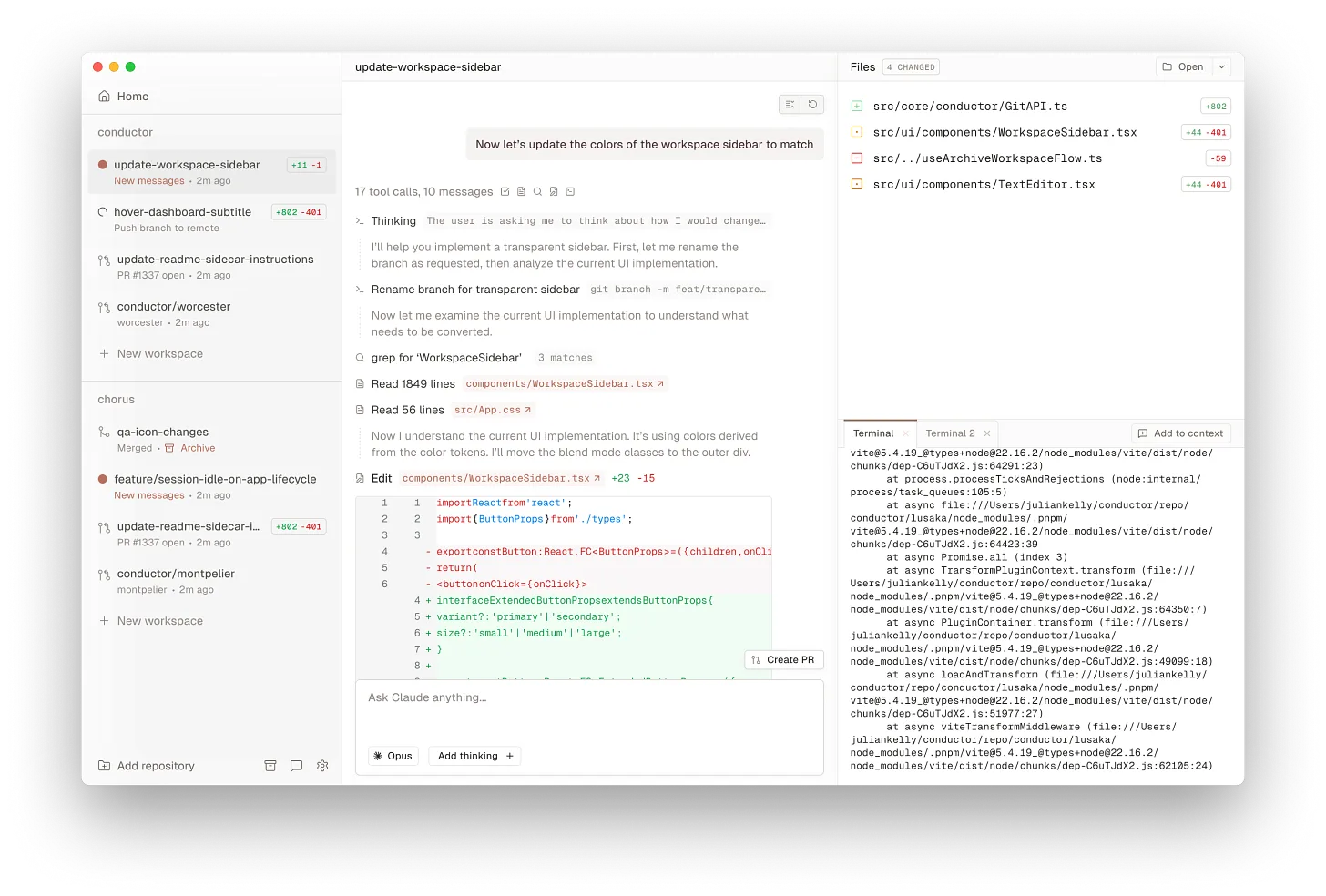
“I found Conductor to make the most sense to me. It was a perfect balance of talking to an agent and seeing my changes in a pane next to it. Its Github integration feels seamless; e.g. after merging PR, it immediately showed a task as “Merged” and provided an “Archive” button.” - Juriy Zaytsev, Staff SWE, LinkedIn
He also tried Magnet: “The idea of tying tasks to a Kanban board is interesting and makes sense. As such, Magnet feels very product -centric.”
Conductor vs Orchestrator - Differences
Many engineers will continue to engage in conductor-style workflows (single-agent, interactive) even as orchestrator patterns mature. The two modes will co-exist.
It’s clear that “conductor” and “orchestrator” aren’t just fancy terms but they describe a genuine shift in how we work with AI:
- Scope of control: A conductor operates at the micro level, guiding one agent through a single task or a narrow problem. An orchestrator operates at the macro level, defining broader tasks and objectives for multiple agents or for a powerful single agent that can handle multi-step projects. The conductor asks, “How do I solve this function or bug with the AI’s help?” The orchestrator asks, “What set of tasks can I delegate to AI agents today to move this project forward?”
- Degree of autonomy: In conductor mode, the AI’s autonomy is low - it waits for user prompts each step of the way. In orchestrator mode, we give the AI high autonomy - it might plan and execute dozens of steps internally (writing code, running tests, adjusting its approach) before needing human feedback. A GitHub Copilot agent or Jules will try to complete a feature from start to finish once assigned, whereas Copilot’s IDE suggestions only go line-by-line as you type.
- Synchronous vs Asynchronous: Conductor interactions are typically synchronous - you prompt, AI responds within seconds, you immediately integrate or iterate. It’s a real-time loop. Orchestrator interactions are asynchronous - you might dispatch an agent and check back minutes or hours later when it’s done (somewhat like kicking off a long CI job). This means orchestrators must handle waiting, context-switching, and possibly managing multiple things concurrently, which is a different workflow rhythm for developers.
- Artifacts and traceability: A subtle but important difference: orchestrator workflows produce persistent artifacts like branches, commits, and pull requests that are preserved in version control. The agent’s work is fully recorded (and often linked to an issue/ticket), which improves traceability and collaboration. With conductor-style (IDE chat, etc.), unless the developer manually commits intermediate changes, a lot of the AI’s involvement isn’t explicitly documented. In essence, orchestrators leave a paper trail (or rather a git trail) that others on the team can see or even trigger themselves. This can help bring AI into team processes more naturally.
- Human Effort Profile: For a conductor, the human is actively engaged nearly 100% of the time the AI is working - reviewing each output, refining prompts, etc. It’s interactive work. For an orchestrator, the human’s effort is front-loaded (writing a good task description or spec for the agent, setting up the right context) and back-loaded (reviewing the final code and testing it), but not much is needed in the middle. This means one orchestrator can manage more total work in parallel than would ever be possible by working with one AI at a time. Essentially, orchestrators leverage automation at scale, trading off fine-grained control for breadth of throughput.
To illustrate, consider a common scenario: adding a new feature that touches frontend, backend, and requires new tests. As a conductor, you might open your AI chat and implement the backend logic with the AI’s help, then separately implement the frontend, then ask it to generate some tests - doing each step sequentially with you in the loop throughout. As an orchestrator, you could assign the backend implementation to one agent (Agent A), the frontend UI changes to another (Agent B), and test creation to a third (Agent C). You give each a prompt or an issue description, then step back and let them work concurrently.
After a short time, you get perhaps three PRs: one for backend, one for frontend, one for tests. Your job then is to review and integrate them (and maybe have Agent C adjust tests if Agents A/B’s code changed during integration). In effect, you managed a mini “AI team” to deliver the feature. This example highlights how orchestrators think in terms of task distribution and integration, whereas conductors focus on step-by-step implementation.
It’s worth noting that these roles are fluid, not rigid categories. A single developer might act as a conductor in one moment and an orchestrator the next. For example, you might kick off an asynchronous agent to handle one task (orchestrator mode) while you personally work with another AI on a tricky algorithm in the meantime (conductor mode). Tools are also blurring lines: as OpenAI’s Codex marketing suggests, you can seamlessly switch between collaborating in real-time and delegating async tasks. So, think of “conductor” vs “orchestrator” as two ends of a spectrum of AI-assisted development, with many hybrid workflows in between.
Why Orchestrators matter
Experts are suggesting that this shift to orchestration could be one of the biggest leaps in programming productivity we’ve ever seen. Consider the historical trends: we went from writing assembly to using high-level languages, then to using frameworks and libraries, and recently to leveraging AI for autocompletion. Each step abstracted away more low-level work. Autonomous coding agents are the next abstraction layer - instead of manually coding every piece, you describe what you need at a higher level and let multiple agents build it.
As orchestrator-style agents ramp up, we could imagine even larger percentages of code being drafted by AIs. What does a software team look like when AI agents generate, say, 80% or 90% of the code, and humans provide the 10% critical guidance and oversight? Many believe it doesn’t mean replacing developers - it means augmenting developers to build better software. We may witness an explosion of productivity where a small team of engineers, effectively managing dozens of agent processes, can accomplish what once took an army of programmers months. (Note: I continue to believe the code review loop where we’ll continue to focus our human skills is going to need work if all this code is not to be slop).
One intriguing possibility is that every engineer becomes, to some degree, a manager of AI developers. It’s a bit like everyone having a personal team of interns or junior engineers. Your effectiveness will depend on how well you can break down tasks, communicate requirements to AI, and verify the results. Human judgment will remain vital: deciding what to build, ensuring correctness, handling ambiguity, and injecting creativity or domain knowledge where AI might fall short. In other words, the skillset of an orchestrator - good planning, prompt engineering, validation, and oversight - is going to be in high demand. Far from making engineers obsolete, these agents could elevate engineers into more strategic, supervisory roles on projects
Toward an “AI Team” of specialists
Today’s coding agents mostly tackle implementation: write code, fix code, write tests, etc. But the vision doesn’t stop there. Imagine a full software development pipeline where multiple specialized AI agents handle different phases of the lifecycle, coordinated by a human orchestrator. This is already on the horizon. Researchers and companies have floated architectures where, for example, you have:
- a Planning Agent that analyzes feature requests or bug reports and breaks them into specific tasks
- a Coding Agent (or several) that implement the tasks in code
- a Testing Agent that generates and runs tests to verify the changes
- a Code Review Agent that checks the pull requests for quality and standards compliance
- a Documentation Agent that updates README or docs to reflect the changes
- possibly a Deployment/Monitoring Agent that can roll out the change and watch for issues in production.
In this scenario, the human engineer’s role becomes one of oversight and orchestration across the whole flow: you might initiate the process with a high-level goal (e.g., “Add support for payment via cryptocurrency in our app”), the planning agent turns that into sub-tasks, coding agents implement each sub-task asynchronously, the testing agent and review agent catch problems or polish the code, and finally everything gets merged and deployed under watch of monitoring agents.
The human would step in to approve plans, resolve any conflicts or questions the agents raise, and give final approval to deploy. This is essentially an “AI swarm” tackling software development end-to-end, with the engineer as the conductor of the orchestra.
While this might sound futuristic, we see early signs. Microsoft’s Azure AI Foundry now provides building blocks for multi-agent workflows and agent orchestration in enterprise settings, implicitly supporting the idea that multiple agents will collaborate on complex, multi-step tasks. Internal experiments at tech companies have agents creating pull requests that other agent reviewers automatically critique, forming an AI/AI interaction with a human in the loop at the end. In open-source communities, people have chained tools like Claude Squad (parallel coders) with additional scripts that integrate their outputs. And the conversation has started about standards like Model Context Protocol (MCP) for agents sharing state and communicating results to each other.
I’ve noted before that “specialized agents for Design, Implementation, Test, and Monitoring could work together to develop, launch, and land features in complex environments” - with developers onboarding these AI agents to their team and guiding/overseeing their execution. In such a setup, agents would “coordinate with other agents autonomously, request human feedback, reviews and approvals” at key points, and otherwise handle the busywork amongst themselves. The goal is a central platform where we can deploy specialized agents across the workflow, without humans micromanaging each individual step - instead, the human oversees the entire operation with full context.
This could transform how software projects are managed: more like running an automated assembly line where engineers ensure quality and direction, rather than hand-crafting each component on the line.
Challenges and Human Role in orchestration
Does this mean programming becomes a push-button activity where you sit back and let the AI factory run? Not quite - and likely never entirely. There are significant challenges and open questions with the orchestrator model:
- Quality control & trust: Orchestrating multiple agents means you’re not eyeballing every single change as it’s made. Bugs or design flaws might slip through if you solely rely on AI. Human oversight remains critical as the final failsafe. Indeed, current tools explicitly require the human to review the AI’s pull requests before merging. The relationship is often compared to managing a team of junior developers: they can get a lot done, but you wouldn’t ship their code without review. The orchestrator engineer must be vigilant about checking the AI’s work, writing good test cases, and having monitoring in place. AI agents can make mistakes or produce logically correct but undesirable solutions (for instance, implementing a feature in a convoluted way). Part of the orchestration skillset is knowing when to intervene versus when to trust the agent’s plan. As the CTO of Stack Overflow wrote, “developers maintain expertise to evaluate AI outputs” and will need new “trust models” for this collaboration.
- Coordination & conflict: When multiple agents work on a shared codebase, coordination issues arise - much like multiple developers can conflict if they touch the same files. We need strategies to prevent merge conflicts or duplicated work. Current solutions use workspace isolation (each agent works on its own git branch or separate environment) and clear task separation. For example, one agent per task, and tasks designed to minimize overlap. Some orchestrator tools can even automatically merge changes or rebase agent branches, but usually it falls to the human to integrate. Ensuring agents don’t step on each others’ toes is an active area of development. It’s conceivable that in the future agents might negotiate with each other (via something like agent-to-agent communication protocols) to avoid conflicts, but today the orchestrator sets the boundaries.
- Context, shared state and hand-offs: Coding workflows are rich in state: repository structure, dependencies, build systems, test suites, style guidelines, team practices, legacy code, branching strategies etc. Multi-agent orchestration demands shared context, memory, and smooth transitions. But in enterprise settings: Context sharing across agents is non-trivial. Without a unified “workflow orchestration layer”, each agent can become a silo, working well in its domain but failing to mesh. In a coding-engineering team this may translate into: one agent creates a feature branch, another one runs unit tests, another merges into master - if the first agent doesn’t tag metadata the second is expecting, you get breakdowns.
- Prompting and specifications: Ironically, as the AI handles more coding, the human’s “coding” moves up a level to writing specifications and prompts. The quality of an agent’s output is highly dependent on how well you specify the task. Vague instructions lead to subpar results or agents going astray. Best practices that have emerged include writing mini design docs or acceptance criteria for the agents - essentially treating them like contractors who need a clear definition of done. This is why we’re seeing ideas like spec-driven development for AI: you feed the agent a detailed spec of what to build, so it can execute predictably. Engineers will need to hone their ability to describe problems and desired solutions unambiguously. Paradoxically, it’s a very old-school skill (writing good specs and tests) made newly important in the AI era. As agents improve, prompts might get simpler (“write me a mobile app for X and Y with these features”) and yet yield more complex results, but we’re not quite at the point of the AI intuiting everything unsaid. For now, orchestrators must be excellent communicators to their digital workforce.
- Tooling and debugging: With a human developer, if something goes wrong, they can debug in real time. With autonomous agents, if something goes wrong (say the agent gets stuck on a problem or produces a failing PR), the orchestrator has to debug the situation: Was it a bad prompt? Did the agent misinterpret the spec? Do we roll back and try again or step in and fix it manually? New tools are being added to help here: for instance, checkpointing and rollback commands let you undo an agent’s changes if it went down a wrong path. Monitoring dashboards can show if an agent is taking too long or has errors. But effectively, orchestrators might at times have to drop down to conductor mode to fix an issue, then go back to orchestration. This interplay will improve as agents get more robust, but it highlights that orchestrating isn’t just “fire and forget” - it requires active monitoring. AI observability tools (tracking cost, performance, accuracy of agents) are likely to become part of the developer’s toolkit.
- Ethics and responsibility: Another angle - if an AI agent writes most of the code, who is responsible for license compliance, security vulnerabilities, or bias in that code? Ultimately the human orchestrator (or their organization) carries responsibility. This means orchestrators should incorporate practices like security scanning of AI-generated code and verifying dependencies. Interestingly, some agents like Copilot and Jules include built-in safeguards (they won’t introduce known vulnerable versions of libraries, for instance, and can be directed to run security audits). But at the end of the day, “trust, but verify” is the mantra. The human remains accountable for what ships, so orchestrators will need to ensure AI contributions meet the team’s quality and ethical standards.
In summary, the rise of orchestrator-style development doesn’t remove the human from the loop - it changes the human’s position in the loop. We move from being the one turning the wrench to the one designing and supervising the machine that turns the wrench. It’s a higher-leverage position, but also one that demands broader awareness.
Developers who adapt to being effective conductors and orchestrators of AI will likely be even more valuable in this new landscape.
Conclusion: Every engineer a maestro?
Will every engineer become an orchestrator of multiple coding agents? It’s a provocative question, but trends suggest we’re headed that way for a large class of programming tasks. The day-to-day reality of a software engineer in the late 2020s could involve less heads-down coding and more high-level supervision of code that’s mostly written by AIs.
Today we’re already seeing early adopters treating AI agents as teammates - for example, some developers report delegating 10+ pull requests per day to AI, effectively treating the agent as an independent teammate rather than a smart autocomplete. Those developers free themselves to focus on system design, tricky algorithms, or simply coordinating even more work.
That said, the transition won’t happen overnight for everyone. Junior developers might start as “AI conductors,” getting comfortable working with a single agent, before they take on orchestrating many. Seasoned engineers are more likely to early-adopt orchestrator workflows, since they have the experience to architect tasks and evaluate outcomes. In many ways, it mirrors career growth: junior engineers implement (now with AI help), senior engineers design and integrate (soon with AI agent teams).
The tools we discussed - from GitHub’s coding agent to Google’s Jules to OpenAI’s Codex - are rapidly lowering the barrier to try this approach, so expect it to go mainstream quickly. The hyperbole aside, there’s truth that these capabilities can dramatically amplify what an individual developer can do.
So, will we all be orchestrators? Probably to some extent - yes. We’ll still write code, especially for novel or complex pieces that defy simple specification. But much of the boilerplate, routine patterns, and even a lot of sophisticated glue code could be offloaded to AI. The role of “software engineer” may evolve to emphasize product thinking, architecture, and validation, with the actual coding being a largely automated act. In this envisioned future, asking an engineer to crank out thousands of lines of mundane code by hand would feel as inefficient as asking a modern accountant to calculate ledgers with pencil and paper. Instead, the engineer would delegate that to their AI agents and focus on the creative and critical-thinking aspects around it.
Btw, yes, there’s plenty to be cautious about. We need to ensure these agents don’t introduce more problems than they solve. And the developer experience of orchestrating multiple agents is still maturing - it can be clunky at times. But the trajectory is clear. Just as continuous integration and automated testing became standard practice, continuous delegation to AI could become a normal part of the development process. The engineers who master both modes - knowing when to be a precise conductor and when to scale up as an orchestrator - will be in the best position to leverage this “agentic” world.
One thing is certain: the way we build software in the next 5-10 years will look quite different from the last 10. I want to stress that not all or most code will be agent-driven within a year or two, but that’s a direction we’re heading in. The keyboard isn’t going away, but alongside our keystrokes we’ll be issuing high-level instructions to swarms of intelligent helpers. In the end, the human element remains irreplaceable: it’s our judgment, creativity, and understanding of real-world needs that guides these AI agents toward meaningful outcomes.
The future of coding isn’t AI or human, it’s AI and human - with humans at the helm as conductors and orchestrators, directing a powerful ensemble to achieve our software ambitions.
I’m excited to share I’ve written a new AI-assisted engineering book with O’Reilly. If you’ve enjoyed my writing here you may be interested in checking it out.