Claude Code Swarms
February 5, 2026
Claude Code now supports agent teams (swarms). Instead of a single agent working through a task sequentially, a lead agent can delegate to multiple teammates that work in parallel - researching, debugging, and building while coordinating with each other. Enable agent teams in your settings.json to give it a spin. If you’ve been playing with multi-agent orchestration via Conductor, Gas Town or similar, this news will be exciting to you.
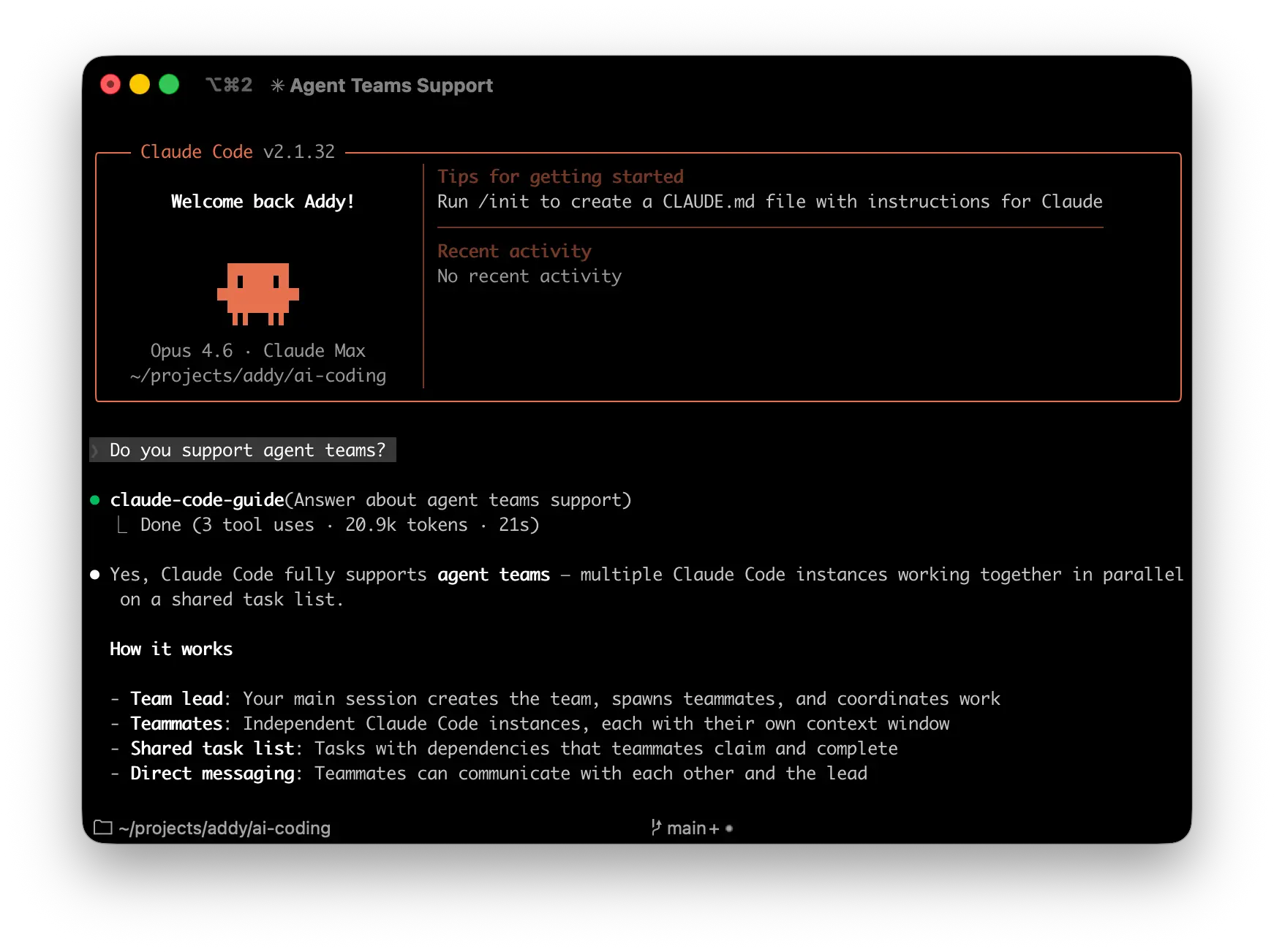
The community has been calling these patterns swarms - coordinated teams of AI agents, each with specialized roles, working in parallel with structured communication. What started as developers discovering feature-flagged capabilities in Claude Code’s binary and building workarounds with subagents and bash scripts is now a first-class feature. The TeammateTool, the inbox-based communication, the tmux split panes - it’s all here.
This matters because it’s a fundamentally different architecture from the single-agent model most of us have been using. If you’ve been following the shift from conductor to orchestrator or experimenting with parallel agent workflows, agent teams are where those ideas become concrete.
Why multi-agent coordination matters
The single-agent model has a well-known failure mode. You ask Claude to do something complex - refactor authentication across three services, say - and it gets maybe 60% of the way there before context degrades. Details from step 2 blur into step 5. You /clear and start over. Repeat until frustrated.
The core insight behind swarms is simple ~ LLMs perform worse as context expands. This isn’t just about hitting token limits, rather the more information in the context window, the harder it is for the model to focus on what matters right now. Adding a project manager’s strategic notes to a context that’s trying to fix a CSS bug actively hurts performance.
Human teams work in kind of the same way. We don’t have backend engineers sitting in on frontend code reviews. We don’t CC the entire company on every Slack thread. Specialization is about focus.
Multi-agent patterns formalize this. By giving each agent a narrow scope and clean context, you get better reasoning within each domain, independent quality checks, natural checkpoints between phases, and graceful degradation when one agent fails. The testing agent has testing in its context, not the three-hour planning discussion. The security reviewer doesn’t wade through performance optimization notes.
The caveat is that this only works when tasks are properly scoped. “Build me an app” burns tokens while agents flail. “Implement these five clearly-defined API endpoints according to this specification” produces something good.
What agent teams are
The architecture is straightforward. One Claude Code session becomes the team lead. It spawns teammates - each a full, independent Claude Code instance with its own large token context window. There’s a shared task list with dependency tracking, an inbox-based messaging system for inter-agent communication, and teammates can self-claim work as they finish tasks.
| Component | Role |
|---|---|
| Team lead | Creates the team, spawns teammates, coordinates work |
| Teammates | Separate Claude Code instances working on assigned tasks |
| Task list | Shared work items with dependency tracking and auto-unblocking |
| Mailbox | Direct messaging between agents - not just reporting back to lead |
This is different from Claude Code’s existing subagents. Subagents are focused workers that report results back to a single parent - they can’t talk to each other. Agent teams are actual collaboration - teammates share findings, challenge each other’s approaches, and coordinate independently. The tradeoff is token cost - each teammate is a separate Claude instance.
| Subagents | Agent teams | |
|---|---|---|
| Context | Own window; results return to caller | Own window; fully independent |
| Communication | Report back to main agent only | Teammates message each other directly |
| Coordination | Main agent manages everything | Shared task list with self-coordination |
| Best for | Focused tasks where only the result matters | Complex work requiring discussion and collaboration |
| Token cost | Lower | Higher - each teammate is a separate instance |
Use subagents when you need quick, focused workers. Use agent teams when teammates need to share findings, challenge each other, and coordinate on their own.
Claude Code now supports agent teams (in research preview)
— Lydia Hallie ✨ (@lydiahallie) February 5, 2026
Instead of a single agent working through a task sequentially, a lead agent can delegate to multiple teammates that work in parallel to research, debug, and build while coordinating with each other.
Try it out today by… pic.twitter.com/vi7lUJDOTi
Getting started
Enable agent teams by adding the experimental flag to your settings:
// settings.json
{
  "env": {
    "CLAUDE_CODE_EXPERIMENTAL_AGENT_TEAMS": "1"
  }
}
Then tell Claude what team you want in natural language. It handles spawning and coordination from there:
Claude creates the team with a shared task list, spawns teammates for each perspective, has them explore the problem, and synthesizes findings. The lead’s terminal lists all teammates and what they’re working on.
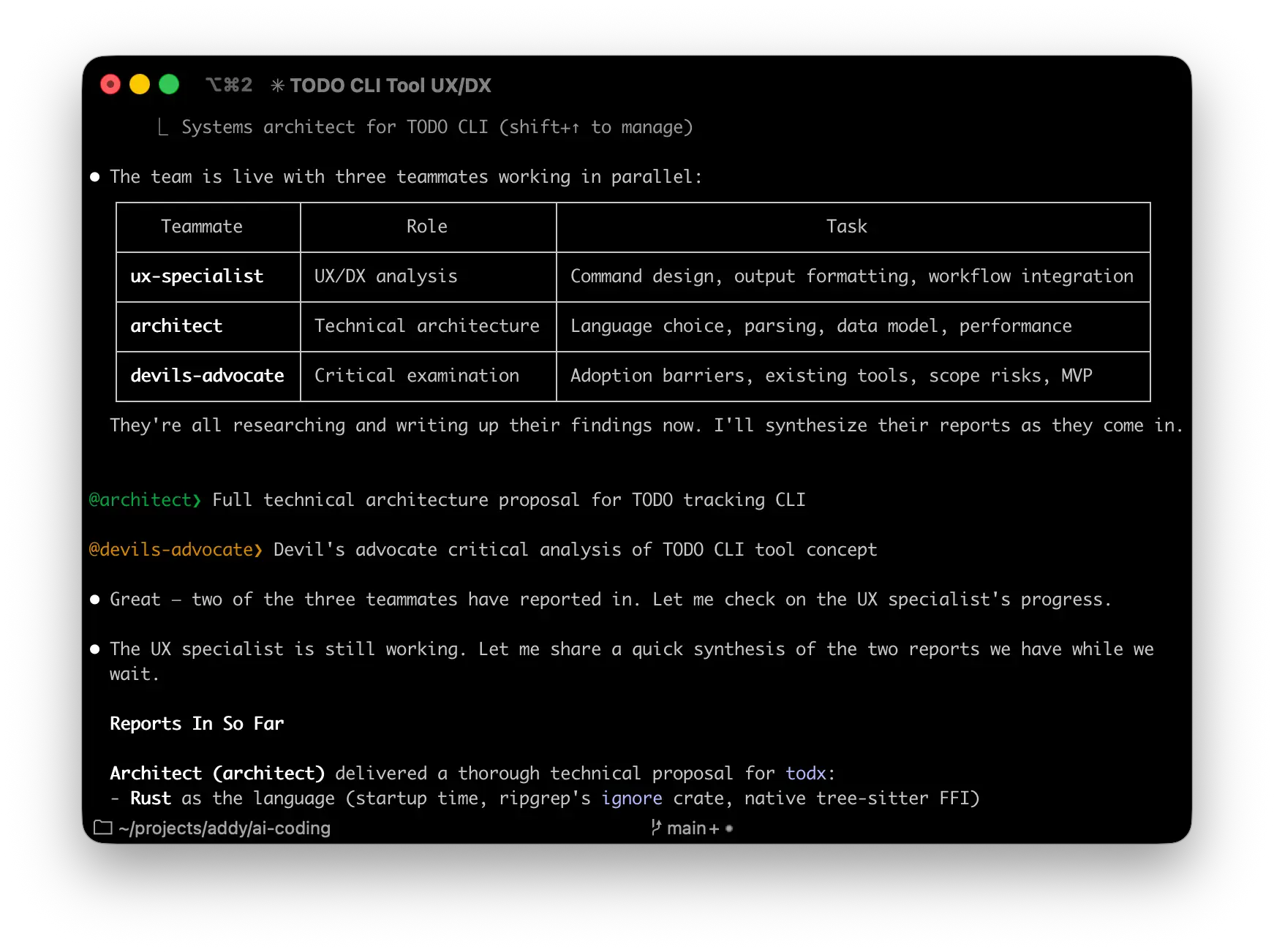
You can also be explicit about team structure:
Where this shines
Here’s a pattern that works: tasks where parallel exploration adds real value and teammates can operate largely independently.
Competing hypotheses for debugging. Spawn five teammates each investigating a different theory about why the app exits after one message. Have them talk to each other to disprove each other’s theories, like a scientific debate. This is genuinely better than sequential investigation, which suffers from anchoring - once you explore one theory, subsequent investigation is biased toward it. Multiple investigators running adversarial debates converge on root causes faster.
Parallel code review with different lenses. One teammate on security implications, one checking performance impact, one validating test coverage. A single reviewer tends to gravitate toward one type of issue at a time. Splitting review criteria into independent domains means each gets thorough attention simultaneously.
Cross-layer feature work. Changes that span frontend, backend, and tests - each owned by a different teammate. Instead of one agent context-switching between layers, three agents work in parallel with full focus on their domain.
Research and exploration. Multiple teammates investigate different approaches simultaneously, share what they find, and converge on the best path forward. Research findings flow directly into implementation context - no telephone game.
Controlling the team
You interact with agent teams through the lead’s terminal. A few controls that matter in practice:
Display modes
Two options. In-process (default): all teammates run inside your main terminal. Use Shift+Up/Down to select a teammate and type to message them directly. Press Enter to view a teammate’s session, Escape to interrupt their turn, Ctrl+T to toggle the task list. Works in any terminal.
Split panes: each teammate gets its own pane via tmux or iTerm2. You see everyone’s output at once and click into a pane to interact directly. Set it in settings or per-session:
{
  "teammateMode": "tmux"
}
Or override for a single session:
claude --teammate-mode in-process
Plan approval
For risky work, require teammates to plan before implementing. The teammate works in read-only mode until the lead approves their approach:
If rejected, they revise and resubmit. You can influence the lead’s judgment with criteria: “only approve plans that include test coverage” or “reject plans that modify the database schema.”
Delegate mode
Press Shift+Tab to restrict the lead to coordination only - spawning, messaging, shutting down teammates, and managing tasks. No code touching. This stops a common problem: the lead getting distracted and implementing things itself instead of waiting for teammates.
Direct teammate interaction
Each teammate is a full Claude Code session. You can message any of them directly to give additional instructions, ask follow-up questions, or redirect their approach - without going through the lead.
Task management
The shared task list coordinates work across the team. Tasks have three states: pending, in progress, and completed. Tasks can depend on other tasks - a pending task with unresolved dependencies can’t be claimed until those dependencies complete. Auto-unblocking happens when a blocking task finishes.
The lead can assign tasks explicitly, or teammates can self-claim the next unassigned, unblocked task when they finish. Task claiming uses file locking to prevent race conditions.
Teams and tasks are stored locally:
~/.claude/teams/{team-name}/config.json    # Team metadata + members
~/.claude/tasks/{team-name}/               # Task list
Teammates can read the config file to discover other team members.
Shutting down
Ask the lead to shut down specific teammates - they can approve or reject the request with an explanation. To clean up the whole team:
Clean up the team
Always use the lead for cleanup. Teammates shouldn’t run it because their team context may not resolve correctly, potentially leaving resources in an inconsistent state. The lead checks for active teammates and fails if any are still running, so shut them down first.
There is a management parallel here
I keep coming back to this: the skills that make someone a strong engineering manager translate directly into effective agent orchestration. Agent teams make this even more explicit.
Task sizing matters. Too small and coordination overhead dominates. Too large and teammates work too long without check-ins, risking wasted effort. The sweet spot is self-contained units that produce a clear deliverable. Having 5-6 tasks per teammate keeps everyone productive and lets the lead reassign work if someone gets stuck.
File ownership matters. Two teammates editing the same file leads to overwrites. Break the work so each teammate owns a different set of files. Same boundary-setting you’d do with a human team to avoid merge conflicts.
Context loading matters. Teammates get your project’s CLAUDE.md, MCP servers, and skills automatically, but they don’t inherit the lead’s conversation history. Include task-specific details in the spawn prompt:
The more specific the brief, the better the output. Same as always - but now you’re writing briefs for a team, not a single agent.
What to watch out for
This is experimental. The rough edges are real and worth knowing about.
The lead sometimes implements instead of delegating. Tell it to wait: “Wait for your teammates to complete their tasks before proceeding.” Or use delegate mode (Shift+Tab) to restrict the lead to coordination-only tools.
No session resumption for in-process teammates. /resume and /rewind don’t restore in-process teammates. After resuming, the lead may try to message teammates that no longer exist. Spawn fresh ones.
Task status can lag. Teammates sometimes fail to mark tasks as completed, blocking dependent tasks. Check whether the work is actually done and nudge the lead or update manually.
One team per session, no nested teams. A lead manages one team at a time. Teammates can’t spawn their own teams or teammates. Only the lead manages the team. This is deliberate - preventing infinite recursion, runaway token costs, and loss of human oversight. Clean up the current team before starting a new one.
Token costs scale with teammates. Each teammate is a separate Claude instance with its own context window. For routine tasks, a single session is more cost-effective. Multi-agent patterns pay off on larger, parallelizable work - not for fixing a typo.
Split panes require tmux or iTerm2. Not supported in VS Code’s integrated terminal, Windows Terminal, or Ghostty. The default in-process mode works everywhere.
Permissions propagate from the lead. All teammates start with the lead’s permission settings. If the lead runs with --dangerously-skip-permissions, all teammates do too. You can change individual teammate modes after spawning, but can’t set per-teammate modes at spawn time.
Shutdown can be slow. Teammates finish their current request or tool call before shutting down, which can take time.
A word of caution
There’s a seductive quality to watching agents work in parallel. The activity metrics are impressive - commits per hour, parallel task completion, lines of code touched.
But activity doesnt always translate to value.
The risk with multi-agent systems is that they make it easy to produce large quantities of code very quickly. That code still needs to be right, maintainable, and actually solving the problem. I’ve seen developers lose the plot, spending more time configuring orchestration patterns than thinking about what they’re building.
Let the problem guide the tooling, not the other way around. If a single agent in a focused session gets you there faster, use that. If you need parallel specialists, use agent teams. Agent teams add coordination overhead and use significantly more tokens than a single session. They work best when teammates can operate independently. For sequential tasks, same-file edits, or work with many dependencies, a single session or subagents are more effective.
Maxing your swarms with Compound Engineering
If you want a more structured workflow around agent teams, the Compound Engineering Plugin from Every might be worth a look. It’s a Claude Code plugin that adds specialized review agents and a plan → work → review → compound cycle designed around the idea that each unit of engineering work should make subsequent units easier.
Install it directly in Claude Code:
/plugin marketplace add https://github.com/EveryInc/compound-engineering-plugin
/plugin install compound-engineering
The parts most relevant to agent teams: /workflows:plan turns feature ideas into detailed implementation plans (exactly the kind of upfront specification that makes agent delegation work well), /workflows:review runs multi-agent code review before merging (security, performance, architecture, and complexity - each with its own specialized reviewer), and /workflows:compound documents learnings so future agents benefit from past work.
That last piece is the interesting one. The plugin’s philosophy - 80% planning and review, 20% execution - maps cleanly onto what makes agent teams effective. The better your specs, the better the agent output. The more learnings you codify, the less each subsequent agent flails. It’s the same compounding dynamic I described with AGENTS.md and persistent context but packaged into a repeatable workflow.
It also works with OpenCode and Codex (experimentally) if you’re not exclusively in Claude Code.
Getting started - here’s what I would do
If you’re new to multi-agent coordination, start small.
Start with research and review. Tasks that have clear boundaries and don’t require writing code - reviewing a PR from three angles, researching a library, investigating a bug with competing theories. These show the value of parallel exploration without the coordination complexity of parallel code changes.
Then try cross-layer features. Frontend, backend, and tests each owned by a different teammate. Clean boundaries, clear deliverables.
Then scale to larger refactors. Multiple services, parallel implementation after a shared design phase. This is where the time compression gets dramatic - what might take days of sequential work compresses into hours of parallel execution plus review.
The core skill isn’t writing less code. It’s decomposing problems into structures that agent teams can execute - knowing what to build, what correctness means, and how to verify results. The implementation increasingly becomes a matter of sufficiently precise specification.
This is what agentic engineering looks like when the agents can actually coordinate. The architecture for coordinated AI agent systems is here. Use it wisely.
The full Claude Code agent teams documentation has the complete setup and usage guide.
I write about the evolution of agentic coding workflows in my Elevate newsletter and in my O’Reilly book Beyond Vibe Coding. If you’re experimenting with agent teams or multi-agent workflows, I’d love to hear what’s working for you.